


Birthday Invitation Card Maker
3.22.00 Reviews
App Specs
- Version
- 1.0.35
- Updated On
- License
- Free
- Downloads
- 500,000+
- Developer
- Gold Bridge Studio
- Categories
- Events
- Platform
- Android
Screenshots
 Analysis by AppCompare
I like the idea behind Birthday Invitation Card Maker: it gives birthday hosts a focused place to put an invitation together, rather than making them start with a blank canvas in a general design app. That can be a real relief when the party date is set and the details still need to be shared. My overall take is positive but measured: this is best approached as a convenient invitation-making tool, not as a complete event-planning service, and I would check the finished design and the cost of any paid options before committing to a workflow.
Making an invitation without starting from scratch
Birthday Invitation Card Maker is a free events app from Gold Bridge Studio. It is rated for Everyone and has an average rating of 3.2 from around 336 ratings, with over 500,000 installs. That level of use suggests it has reached a broad audience, but the rating is a useful reminder to keep expectations practical: a template-led app can make a simple invitation easier without necessarily matching the flexibility or polish of a dedicated design program.
The appeal is straightforward. Birthday invitations have a familiar set of needs: a clear occasion, a date and place, a tone that suits the guest of honor, and a format that is easy to send. A specialized app can help by making the invitation itself the starting point. Instead of building a layout from scratch, I would look for a suitable design and concentrate on the information guests actually need. The time saved is most valuable when the party is casual and the invitation does not need to become a larger design project.
Where a focused workflow helps
For a host who wants a quick, recognizable birthday look, starting with a template is usually easier than arranging every element independently. The practical advantage is not just speed: an existing layout gives you a visual structure to work within, so you can focus on making the wording readable and the invitation appropriate for the event. I would still keep the message concise. A crowded design can make even important logistics harder to spot, so put the date, time, location, and response instructions ahead of decorative copy.
This kind of tool makes the most sense for a one-off invitation, a family gathering, or a child’s party where a friendly visual matters more than exact brand consistency. If you are inviting a small group through a messaging app, a finished digital card can make the details feel more considered than a plain text message. For a formal celebration or a large event with carefully coordinated materials, I would compare the result with a broader design app before settling on it.
What to check before you send
A design that looks attractive while editing may not be easy to read on every guest’s phone. Before sharing, I would review the invitation at a smaller size and check that the essential details remain legible. Keep text away from busy backgrounds, avoid squeezing long addresses into decorative areas, and make sure the event time is unmistakable. Those small checks are especially useful when a design is intended to be shared digitally, where guests may glance at it in a crowded chat rather than open it full-screen.
There is also a useful distinction between making a card and managing an event. An invitation can communicate the plan, but hosts should not assume that a design tool will replace their preferred method for keeping track of replies, dietary needs, or last-minute changes. I would choose one place to record responses—such as a group conversation or a personal guest list—and make the invitation point guests toward that channel. That avoids the confusion of replies arriving in several places.
Worth Reading Before You Choose

Flipboard Shows What News Apps Must Do Beyond the Feed

Switching to Android Auto Means Rethinking Your Driving Routine

Google Calendar Makes a Crowded Week Easier to Manage

Ludo King Makes the Most of the Minutes Between Plans

Baby Panda World Brings Quick Play to Modern Phones, but Its Game Library Feels Busy

ESPN’s Live Game View Makes Following Close Games Easier
Cost, expectations, and alternatives
The app is free to download, while in-app purchases range from $8.99 to $10.99 per item. I would treat paid options as something to evaluate only after deciding what kind of invitation I need. If a free design already handles the basics, there may be no reason to buy anything. If you are considering a purchase, check what it unlocks in the app before paying and make sure it addresses a specific need rather than simply adding decoration.
Compared with a general-purpose design app, a birthday-focused tool may be less intimidating when all you want is a themed invitation. The trade-off is that a general editor can be a better fit if you need a very particular layout, want to reuse a consistent style across several event materials, or prefer more control over every design decision. A plain message is still the quickest option for an informal gathering, while a professionally printed invitation may suit an event where paper quality and a coordinated finish matter more than convenience.
Who is likely to get the most from it
I would recommend giving Birthday Invitation Card Maker a look if you want to make a birthday invitation on your phone and value a guided, occasion-specific starting point. It should be most appealing to busy hosts who want something more personal than a text but do not want to learn a full design tool. It is less suitable for people who need a dependable all-in-one system for guest tracking, event logistics, and communication, or for designers who expect precise control over every visual detail.
A realistic use case is a parent arranging a small birthday gathering after work. They can decide on the key information first, choose a design that fits the child’s party, and prepare a shareable invitation in one sitting. Before sending it to the family group, they should check that the address and start time are easy to read and decide how guests should respond. That last step matters: the card can set the tone, but a clear reply route is what makes planning easier.
Details that deserve a second look
The app’s current version is 1.0.35 and it requires Android 7.0 or later. The store details place it in the birthday invitation and card-making space, so I would not approach it expecting a general calendar or full party-planning system. Its audience rating is Everyone, which makes it broadly suitable from a content-rating perspective, but parents should still review any design and wording they intend to share on behalf of a child.
One practical tip is to draft the invitation text before choosing a layout. Hosts often discover that a favorite design has little room for a full address or extra instructions; writing the essentials first makes it easier to judge whether the template suits the actual event. Another is to keep a clean copy of the final details outside the design. If the time or location changes, that gives you a reliable reference while updating and resending the invitation instead of relying on memory.
For guests who may not use the same social platform, consider how the invitation will reach everyone before you finish it. A beautiful card is only useful if the recipient can open or view it conveniently. I would send a test to myself or a family member first, then confirm that the image is clear and the written details have not been cropped or obscured. This is a low-effort check that can prevent a second round of messages answering questions the invitation was meant to settle.
A balanced recommendation
Birthday Invitation Card Maker is worth considering when the main job is making a birthday invitation feel more personal without turning the task into a design project. Its focused purpose is its strongest argument, while the modest average rating makes it sensible to approach the experience with realistic expectations and check that the available options suit your needs. I would not pay for an extra simply because it appears during the process; first see whether the free route produces a card you are happy to send.
If you need precise design control, a coordinated set of materials, or a reliable way to manage guest responses and changing plans, another tool—or a combination of a design app and your usual communication method—may serve you better. But for a straightforward birthday invite made on a phone, this app can be a convenient place to begin. My advice is to keep the message clear, inspect the finished card at phone size, and decide how replies will be collected before sharing it.
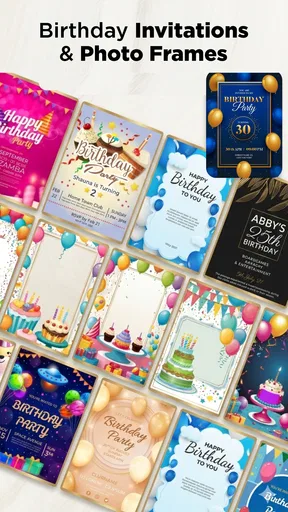
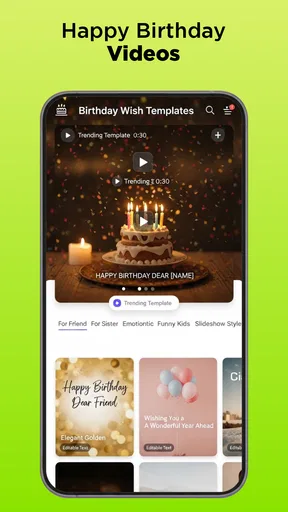
First things first, downloading and setting up the Birthday Invitation Card Maker is a breeze. Available for both Android and iOS, just a quick search in your app store, and you’re ready to dive in. The app's interface is friendly and intuitive, which is a huge plus if you’re not exactly a tech whiz. As soon as you open it, you’re greeted with a variety of templates that cater to all kinds of birthday themes.
Exploring the Features
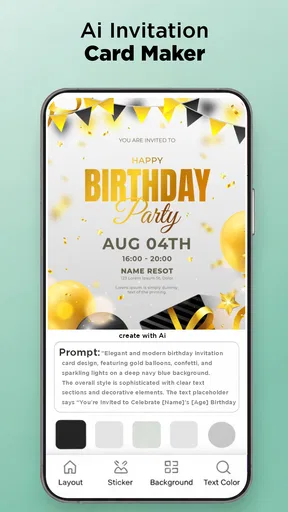
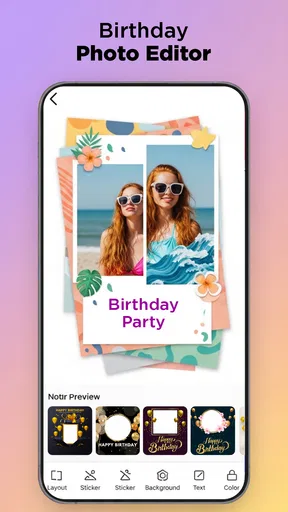
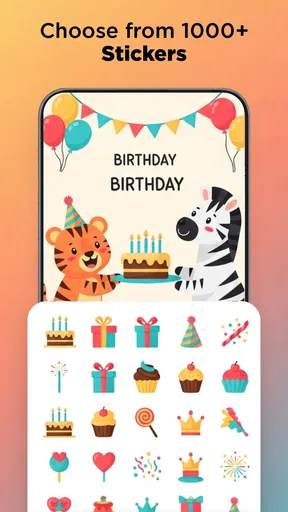
The app offers a wide selection of customizable templates. Whether you’re planning a princess party or a superhero shindig, there’s something for everyone. You can easily tweak these templates by adding your own text, images, and even stickers. The drag-and-drop feature makes it super simple to play around with elements until you’re satisfied with the look.
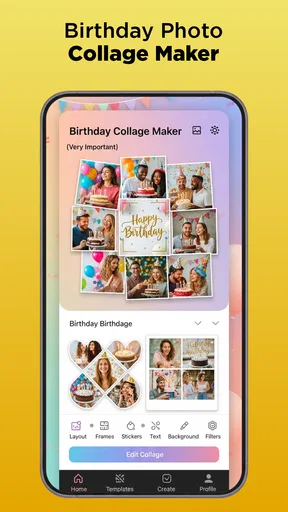
One feature I found particularly impressive is the built-in photo editor. You can adjust your images right within the app, applying filters or cropping them as needed. This means you don’t have to switch between different apps to get the perfect invite.
Sharing and Sending Invitations
Once you’ve crafted your masterpiece, the app makes it easy to share your invitations. You can send them directly through email or social media platforms, or if you're feeling a bit old school, you can also print them out. The app ensures that the resolution remains high, so your invites look just as stunning in print as they do on screen.
Another handy feature is the RSVP management. You can keep track of who’s coming and who’s not right from the app. It's like having a personal event planner in your pocket!
Why You’ll Love It
Let’s be honest, anything that saves us time and stress is a win, right? The Birthday Invitation Card Maker app is perfect for those of us who want to create unique, professional-looking invitations without spending hours on design software. Plus, it’s a lot of fun to use. The ability to personalize every aspect means your invites are truly one-of-a-kind.
Whether you’re planning a small get-together or a big bash, this app has got your back. It's user-friendly, packed with features, and surprisingly powerful for a mobile app.
Wrapping It Up
In a nutshell, Birthday Invitation Card Maker is a game changer for party planners and busy parents alike. It combines ease of use with a plethora of creative options, making it an essential tool for anyone looking to host a memorable birthday celebration. So, next time you're planning a party, give this app a whirl and see how it can elevate your invitation game.
With just a few taps, you can create invitations that not only look great but also set the tone for your event. Trust me, you’ll be the talk of the town!
Pros
- User-friendly interface for quick editing.
- Wide range of templates available.
- Customization options for fonts and colors.
- Easy social media sharing features.
- No watermark on free version designs.
Cons
- Limited free template designs.
- Occasional ads interrupt workflow.
- Some features require in-app purchases.
- No offline mode available.
- Limited export formats for designs.
FAQs for Birthday Invitation Card Maker
What features does the Birthday Invitation Card Maker offer?
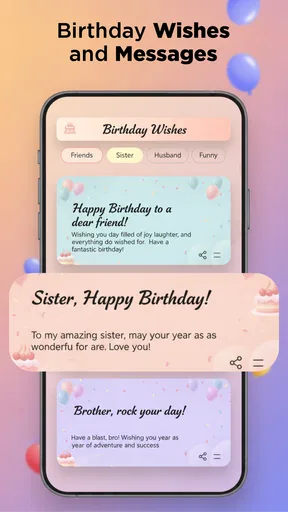
The Birthday Invitation Card Maker app provides a wide range of customizable templates, allowing users to create personalized invitations. It includes features like adding text, stickers, and photos, along with various font styles and color options. The app also supports sharing directly via social media or email, making it convenient to send out invitations.
Is the Birthday Invitation Card Maker app user-friendly for beginners?
Yes, the app is designed with an intuitive interface that makes it easy for users of all levels, including beginners, to create stunning invitations. The drag-and-drop functionality, along with step-by-step guidance, ensures that even those without design experience can navigate the app effortlessly.
Does the app require an internet connection to function?
While you can access many features offline, such as designing and editing invitations, an internet connection is necessary for downloading new templates and sharing your finished invitations via email or social media platforms. This makes it versatile for both offline creation and online distribution.
Are there any in-app purchases or subscriptions in the Birthday Invitation Card Maker?
The app offers a free version with basic features, but there are in-app purchases available for premium templates and additional design elements. Users can opt for a subscription plan that provides access to exclusive content and removes ads for an enhanced experience.
How can I share the invitations created using the app?
Once you finish designing your invitation, the app allows you to share it directly through various platforms. You can send invitations via email, post them on social media, or save them to your device for printing. The app supports multiple sharing formats, ensuring compatibility and ease of distribution.


